





Inserisci il tuo numero di partiva IVA qui e fai clic su Verifica:
Nessuna necessità di inserire la parte del numero di partita IVA relativa al codice del paese poiché questa è già stato selezionata nel predetto indirizzo di fatturazione.
I tuoi dati sono stati verificati. Numero di partita IVA registrato a:
,
.
Al tuo ordine sarà applicata un’aliquota pari a zero ai fini dell’IVA. Ci riserviamo il diritto di verificare questi dettagli dopo che la tua richiesta d’ordine è stata fatta e di reintegrare l’IVA se necessario.
I tuoi dati IVA non sono stati riconosciuti o non erano validi. Il tuo numero di partita IVA deve corrispondere al tuo paese di fatturazione come specificato sopra. Attualmente è specificato come . Non occorre inserire inserire la parte del numero di partita IVA relativa al codice del paese poiché questa è già stato selezionata nei dettagli del predetto indirizzo di fatturazione.
Il servizio di verifica della partita IVA è attualmente offline. Per favore fornisci i tuoi dati IVA all’interno dei commenti o nel campo delle istruzioni speciali sotto e noi applicheremo uno sconto IVA dopo aver fatto la richiesta d’ordine.

Joyeauto

Joyeauto for Porsche
Joyeauto parts for Porsche models from Design911.
A Quick Look at Joyeauto
Joyeauto information on this page is based on details supplied by the manufacturer or distributor, plus any OE references provided with the parts.
Choosing the Right Fit for Your Porsche
Where Joyeauto is listed for Porsche, use the supplied model coverage and OE references to confirm suitability. Check details that commonly affect fitment such as model year, side/position, and connector type where relevant.
- Typical reasons to choose these upgrades include adding connectivity, improving everyday cabin comfort, and replacing ageing electronics that let the interior down.
- Common issues that prompt changes include intermittent connection, noisy audio, poor fitment, or compatibility clashes with specific Porsche head units or generations.
- Before replacing components, confirm the correct adapters are used, that grounds are secure, and that firmware or settings are up to date, as many faults arise from these areas.
- When adding interfaces or modules, check power and ground quality and route wiring carefully to reduce interference and avoid future reliability problems.
- For multimedia repairs, rule out loose connectors or damaged cables before assuming a module has failed.
- If symptoms appear after other audio or electrical work, revisit recent installations for pin-out, coding, or wiring errors.
Browse by Category
If you already know the area you are working on, start with the category and then filter by Porsche model. Where real-world symptoms and typical reasons to replace are provided, use them to keep the wording grounded.
Incar / Multimedia — Owners usually upgrade in-car multimedia to add modern features such as Bluetooth, CarPlay/Android Auto, DAB and hands-free calling, to improve sound quality, or to replace ageing Porsche factory units. This category covers radios, navigation, speakers, interfaces, adaptors and accessories used to modernise or repair Porsche interiors where applicable.
- Confirm how any new unit or module will integrate with existing Porsche amplifiers, steering wheel controls, and fibre (MOST) systems.
- Investigate possible battery-drain or pairing issues before assuming the head unit itself has failed.
Ipod interface — iPod interfaces are used when you want a cleaner factory-style way to play digital music through older Porsche radios while keeping the original look. They are often replaced when they no longer recognise newer Apple devices, have unreliable charging, or when owners move to more modern Bluetooth or USB-based solutions.
- Check cable condition and any 30-pin to Lightning adapters, as these are frequent causes of connection faults.
- Route interface wiring away from sharp edges and power cables, and ensure good grounding to minimise noise.
Blue tooth connection — Bluetooth connection modules are added or replaced on Porsche models to provide hands-free calling and wireless audio streaming, or to fix unreliable pairing on older systems. They help integrate smartphones with factory head units while retaining the original interior appearance where correctly matched.
- If pairing keeps dropping, review module compatibility, firmware level, and power/ground integrity before replacing components.
- Use a dedicated, correctly placed microphone (for example at the A-pillar or roof console) to improve call clarity.
TV Adapters — TV adapters are used to link TV tuners or external video sources with Porsche factory screens. They are typically fitted or replaced when restoring older OEM TV functions, adding video inputs, or resolving compatibility issues between different screen types and multimedia architectures.
- Confirm that any adapter matches the specific factory screen type and vehicle audio architecture (such as MOST or non-MOST) before purchase.
- Check connector standards and video formats to avoid “no source” or poor-image issues after installation.
Video in Motion interface — Video in Motion interfaces are used on certain Porsche infotainment systems to allow video to remain visible while the vehicle is moving, usually for passenger or display use. They are often changed due to compatibility problems, firmware mismatches, or when updating the head unit or screen.
- Be aware that driver-viewable video in motion is restricted in many regions and must be used responsibly in line with local regulations.
- Keep original wiring intact and use reversible connectors where possible so the system can be returned to standard if required.
Explore Joyeauto at Design911
View the current Joyeauto range for Porsche at Design911, then filter by model and category to narrow down to the right parts.

.jpg)
.jpg)
.jpg)
.jpg)
.jpg)

- Porsche Boxster 718 2.0L Manual (300 Bhp)
- Porsche Boxster 718 2.0L PDK (300 Bhp)
- Porsche Boxster S 718 2.5L Manual (350 Bhp)
- Porsche Boxster S 718 2.5L PDK (350 Bhp)
- Porsche Boxster T 718 2.0L Manual (300 Bhp)
- Porsche Boxster T 718 2.0L PDK (300 Bhp)
- Porsche Boxster GTS 718 2.5L Manual (365 Bhp)
- Porsche Boxster GTS 718 2.5L PDK (365 Bhp)
- Porsche Boxster GTS 718 4.0L Manual (400 Bhp)
- Porsche Boxster GTS 718 4.0L PDK (400 Bhp)
- Porsche Boxster Spyder 718 4.0L (420 Bhp)
- Porsche Boxster 25 Years 718 4.0L Manual (400 Bhp)
- Porsche Boxster 25 Years 718 4.0L PDK (400 Bhp)
- Porsche 991.2 Carrera 2 3.0L (370 Bhp) 2016-19
- Porsche 991.2 Carrera 2S / GTS 3.0L (420/450 Bhp) 2016-19
- Porsche 991.2 Carrera 4 3.0L (370 Bhp) 2016-19
- Porsche 991.2 Carrera 4S / GTS 3.0L (420/450 Bhp) 2016-19
- Porsche 991.2 Cabriolet 2 3.0L (370 Bhp) 2016-19
- Porsche 991.2 Cabriolet 2S / GTS 3.0L (420/450 Bhp) 2016-19
- Porsche 991.2 Cabriolet 4 3.0L (370 Bhp) 2016-19
- Porsche 991.2 Cabriolet 4S / GTS 3.0L (420/450 Bhp) 2016-19
- Porsche 991.2 Targa 4 3.0L (370 Bhp) 2016-19
- Porsche 991.2 Targa 4S / GTS 3.0L (420/450 Bhp) 2016-19
- Porsche 991.2 Turbo Coupe 3.8L (540 Bhp) 2016-19
- Porsche 991.2 Turbo S Coupe 3.8L (580 Bhp) 2016-19
- Porsche 991.2 Turbo Cabriolet 3.8L (540 Bhp) 2016-19
- Porsche 991.2 Turbo S Cabriolet 3.8L (580 Bhp) 2016-19
- Porsche 991.2 Speedster 4.0L (510Bhp) 2019
- Porsche 991.2 GT3 4.0L (500 Bhp) / GT3 RS 4.0L (520 Bhp) 2017-19
- Porsche 991.2 GT2 RS 3.8L PDK (700 bhp) 2018-19
- Porsche 992.1 Carrera 2 3.0L 2019-24
- Porsche 992.1 Carrera 4 3.0L 2019-24
- Porsche 992.1 Carrera 2 Cabriolet 3.0L 2019-24
- Porsche 992.1 Carrera 4 Cabriolet 3.0L 2019-24
- Porsche 992.1 Carrera 2S / GTS 3.0L 2019-24
- Porsche 992.1 Carrera 4S / GTS 3.0L 2019-24
- Porsche 992.1 Carrera 2S / GTS Cabriolet 3.0L 2019-24
- Porsche 992.1 Carrera 4S / GTS Cabriolet 3.0L 2019-24
- Porsche 992.1 Targa 4 3.0L 2020-24
- Porsche 992.1 Targa 4S / GTS 3.0L 2020-24
- Porsche 992.1 Speedster 4.0L 2019-24
- Porsche 992.1 Turbo 3.8L 2020-24
- Porsche 992.1 Turbo S 3.8L 2020-24
- Porsche 992.1 Turbo Cabriolet 3.8L 2020-24
- Porsche 992.1 Turbo S Cabriolet 3.8L 2020-24
- Porsche 992.1 GT3 4.0L / 992 S/T 4.0L 2021-24
- Porsche 992.1 GT3 RS 4.0L 2022-24
- Porsche 992.1 (911) Sport Classic 3.8L 2023
- Porsche 992.1 (911) Dakar 3.0L 2023-24
- Porsche Cayman 718 2.0L Manual (300Bhp)
- Porsche Cayman 718 2.0L PDK (300Bhp)
- Porsche Cayman S 718 2.5L Manual (350Bhp)
- Porsche Cayman S 718 2.5L PDK (350Bhp)
- Porsche Cayman T 718 2.0L Manual (300Bhp)
- Porsche Cayman T 718 2.0L PDK (300 Bhp)
- Porsche Cayman GTS 718 2.5L Manual (365 Bhp)
- Porsche Cayman GTS 718 2.5L PDK (365 Bhp)
- Porsche Cayman GTS 718 4.0L Manual (400 Bhp)
- Porsche Cayman GTS 718 4.0L PDK (400 Bhp)
- Porsche Cayman GT4 718 4.0L / GT4 RS 718 4.0L
- Porsche 9YA Cayenne V6 3.0L Petrol 340Hp 2018-23
- Porsche 9YA Cayenne Coupe V6 3.0L Petrol 340Hp 2019-23
- Porsche 9YA Cayenne E-Hybrid V6 3.0L V6 340Hp 2018-23
- Porsche 9YA Cayenne Coupe E-Hybrid V6 3.0L 340Hp 2020-23
- Porsche 9YA Cayenne S V6 2.9L Petrol 440Hp 2018-23
- Porsche 9YA Cayenne Coupe S V6 2.9L Petrol 440Hp 2019-23
- Porsche 9YA Cayenne GTS V8 4.0L Petrol 460Hp 2020-23
- Porsche 9YA Cayenne Coupe GTS V8 4.0L Petrol 460Hp 2021-23
- Porsche 9YA Cayenne Turbo V8 4.0L Petrol 550Hp 2020-23
- Porsche 9YA Cayenne Coupe Turbo V8 4.0L Petrol 550Hp 2019-23
- Porsche 9YA Cayenne Turbo S E-Hybrid V8 4.0L 550Hp 2019-23
- Porsche 9YA Cayenne Coupe Turbo S E-Hybrid V8 4.0L 550Hp 2020-23
- Porsche 9YA Cayenne Coupe Turbo GT V8 4.0L 640Hp 2021-23
- Porsche 9YA.2 Cayenne V6 3.0L Petrol 353Hp 2023>>
- Porsche 9YA.2 Cayenne Coupe V6 3.0L 353Hp 2023>>
- Porsche 9YA.2 Cayenne E-Hybrid V6 3.0L 470Hp 2023>>
- Porsche 9YA.2 Cayenne E-Hybrid Coupe V6 3.0L 470Hp 2023>>
- Porsche 9YA.2 Cayenne S V8 4.0L Petrol 474 Hp 2023>>
- Porsche 9YA.2 Cayenne S Coupe V8 4.0L 474Hp 2023>>
- Porsche 9YA.2 Cayenne S E-Hybrid V6 3.0L 519Hp 2023>>
- Porsche 9YA.2 Cayenne S E-Hybrid Coupe V6 3.0L 519Hp 2023>>
- Porsche 9YA.2 Cayenne Turbo E-Hybrid V8 4.0L 739Hp 2023>>
- Porsche 971.1 Panamera V6 3.0L 2WD (330 Hp) 2017-20
- Porsche 971.1 Panamera 4 V6 3.0L 4WD (330 Hp) 2017-20
- Porsche 971.1 Panamera 4 V6 3.0L 4WD Executive 2017-20
- Porsche 971.1 Panamera 4 3.0L Turbocharged V6 Sport Turismo 2017-20
- Porsche 971.1 Panamera 4S V6 3.0L 4WD (440 Hp) 2017-20
- Porsche 971.1 Panamera 4S V6 3.0L 4WD Executive 2017-20
- Porsche 971.1 Panamera 4S 2.9L Twin-Turbo V6 Sport Turismo 2017-20
- Porsche 971.1 Panamera 4S Diesel V8 4.0L 4WD (422 Hp) 2017-18
- Porsche 971.1 Panamera 4S Diesel 4.0L Twin-Turbo V8 Sport Turismo 2017-18
- Porsche 971.1 Panamera 4 E-Hybrid V6 2.9L 4WD 2017-20
- Porsche 971.1 Panamera 4 E-Hybrid V6 2.9L 4WD Executive 2017-20
- Porsche 971.1 Panamera 4 E-Hybrid 2.9L Twin-Turbo V6 Sport Turismo 2017-20
- Porsche 971.1 Panamera Turbo V8 4.0L 4WD (550 Hp) 2017-20
- Porsche 971.1 Panamera Turbo V8 4.0L 4WD Executive 2017-20
- Porsche 971.1 Panamera Turbo 4.0L Twin-Turbo V8 Sport Turismo 2017-20
- Porsche 971.1 Panamera Turbo S E-Hybrid V8 4.0L 4WD 2017-20
- Porsche 971.1 Panamera Turbo S E-Hybrid V8 4.0L 4WD Executive 2017-20
- Porsche 95B.1 Macan Petrol 2.0L 237Bhp 2014-18
- Porsche 95B.1 Macan S Petrol 3.0L V6 340Bhp 2014-18
- Porsche 95B.1 Macan S Diesel 3.0L V6 258Bhp 2014-18
- Porsche 95B.1 Macan GTS Petrol 3.0L V6 360Bhp 2014-18
- Porsche 95B.1 Macan Turbo 3.6L V6 400Bhp 2014-18
- Porsche 95B.2 Macan Petrol 2.0L 245Bhp 2019-21
- Porsche 95B.2 Macan S Petrol 3.0L V6 354Bhp 2019-21
- Porsche 95B.2 Macan GTS Petrol 2.9L V6 380Bhp 2019-21
- Porsche 95B.2 Macan Turbo 2.9L V6 440Bhp 2019-21
- Porsche 95B.3 Macan Petrol 2.0L 265Bhp 2022>>
- Porsche 95B.3 Macan T Petrol 2.0L 265Bhp 2022>>
- Porsche 95B.3 Macan S Petrol 2.9L V6 380Bhp 2022>>
- Porsche 95B.3 Macan GTS Petrol 2.9L V6 440Bhp 2022>>
- Porsche 9J1.1 Taycan 2020-24
- Porsche 9J1.1 Taycan Sport Turismo 2020-24
- Porsche 9J1.1 Taycan 4 Cross Turismo 2020-24
- Porsche 9J1.1 Taycan 4S 2020-24
- Porsche 9J1.1 Taycan 4S Cross Turismo 2020-24
- Porsche 9J1.1 Taycan 4S Sport Turismo 2020-24
- Porsche 9J1.1 Taycan GTS 2020-24
- Porsche 9J1.1 Taycan GTS Sport Turismo 2020-24
- Porsche 9J1.1 Taycan Turbo 2020-24
- Porsche 9J1.1 Taycan Turbo Cross Turismo 2020-24
- Porsche 9J1.1 Taycan Turbo Sport Turismo 2020-24
- Porsche 9J1.1 Taycan Turbo S 2020-24
- Porsche 9J1.1 Taycan Turbo S Cross Turismo 2020-24
- Porsche 9J1.1 Taycan Turbo S Sport Turismo 2020-24
- Porsche 9J1.2 Taycan Sport Saloon 2024>>
- Porsche 9J1.2 Taycan Sport Turismo 2024>>
- Porsche 9J1.2 Taycan 4 Cross Turismo 2024>>
- Porsche 9J1.2 Taycan 4S Sport Saloon 2024>>
- Porsche 9J1.2 Taycan 4S Sport Turismo 2024>>
- Porsche 9J1.2 Taycan 4S Cross Turismo 2024>>
- Porsche 9J1.2 Taycan Turbo GT Sport Saloon 2024>>
- Porsche 9J1.2 Taycan Turbo GT with Weissach Package Sport Saloon 2024>>
- Porsche 9J1.2 Taycan Turbo Sport Saloon 2024>>
- Porsche 9J1.2 Taycan Turbo Sport Turismo 2024>>
- Porsche 9J1.2 Taycan Turbo Cross Turismo 2024>>
- Porsche 9J1.2 Taycan Turbo S Sport Saloon 2024>>
- Porsche 9J1.2 Taycan Turbo S Sport Turismo 2024>>
- Porsche 9J1.2 Taycan Turbo S Cross Turismo 2024>>
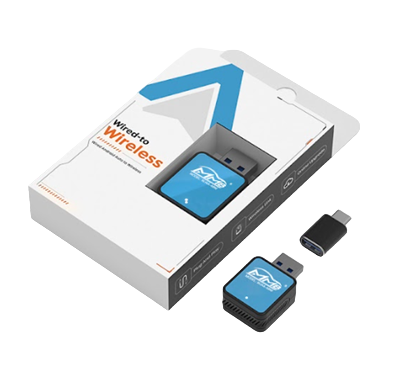
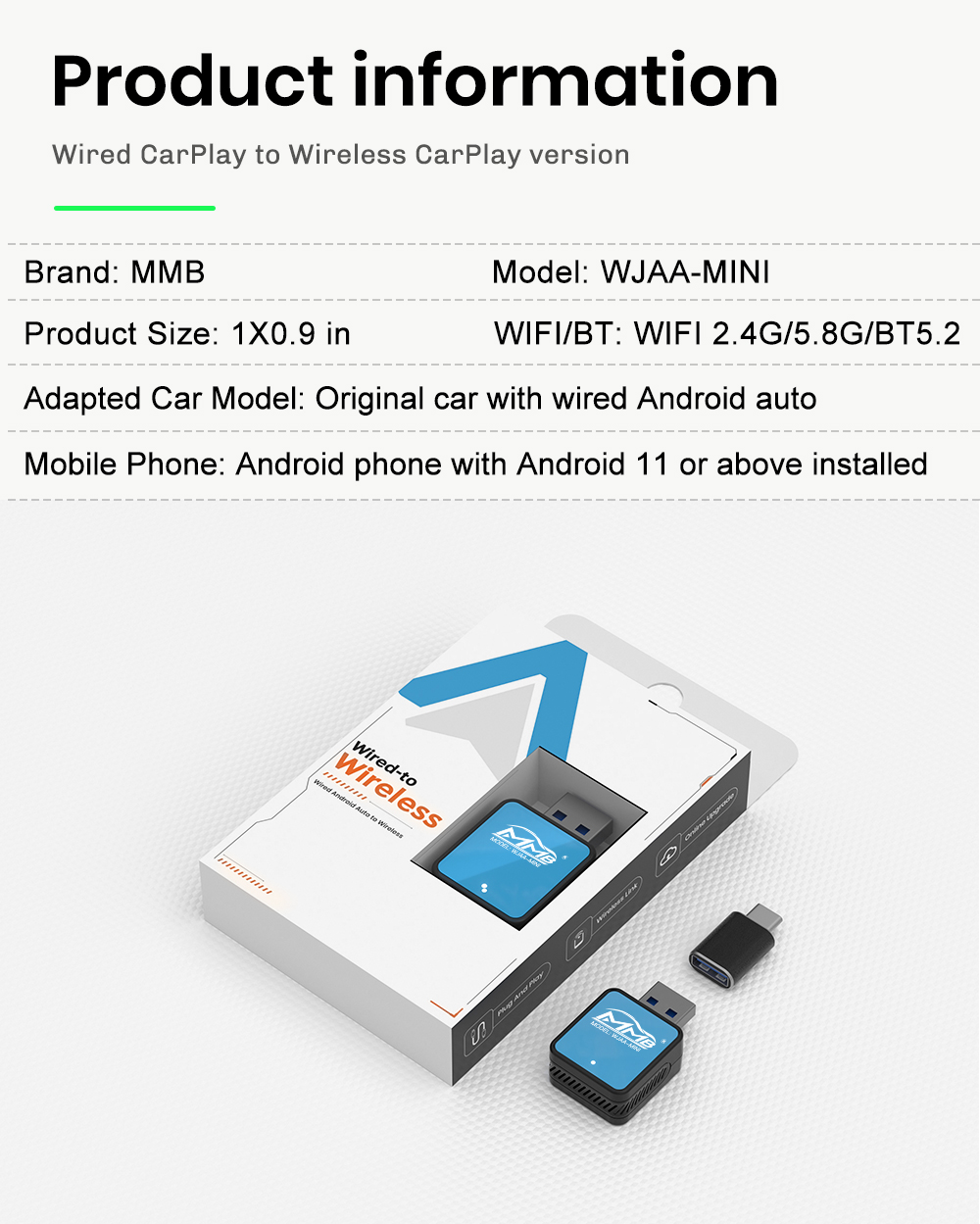
Android Auto Mini
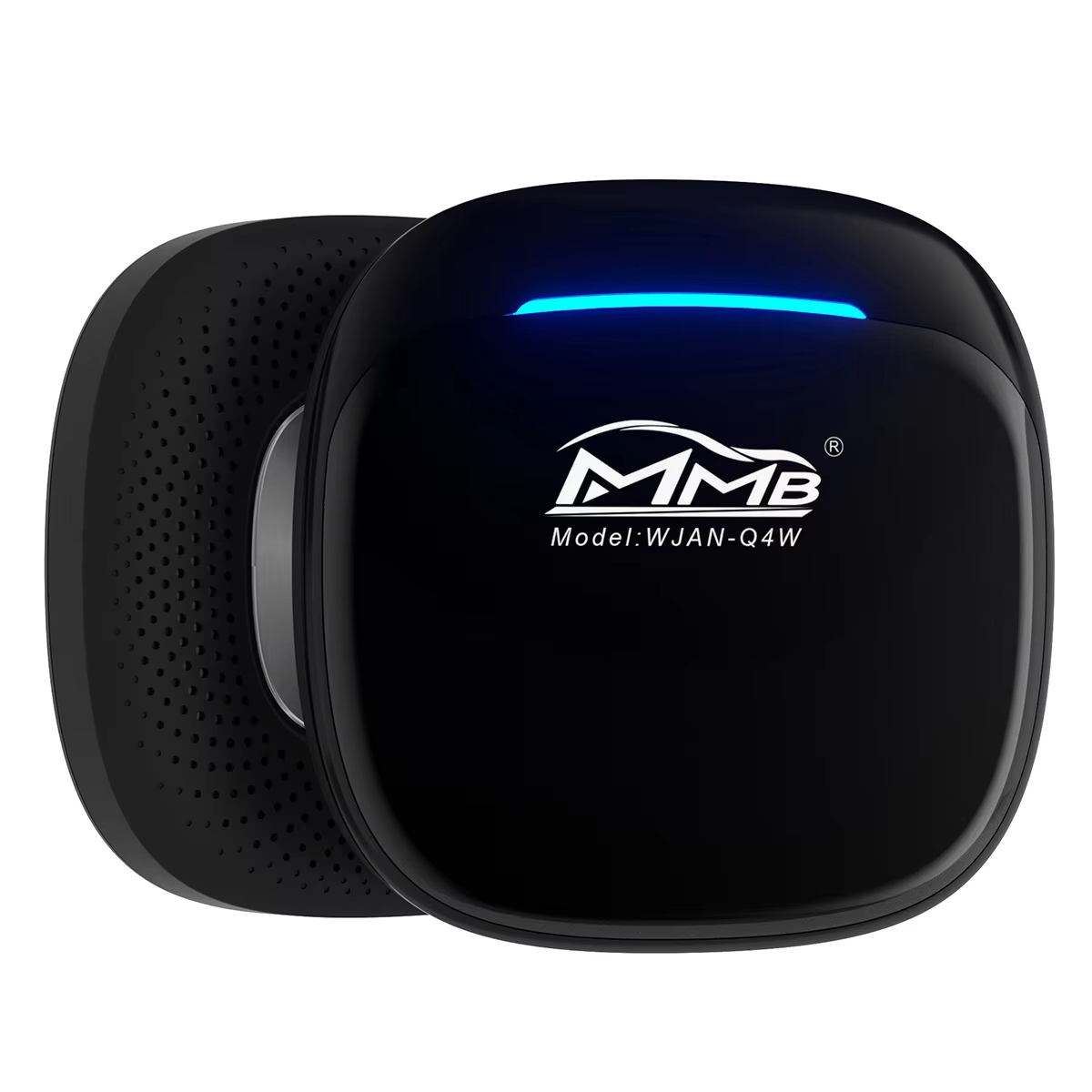
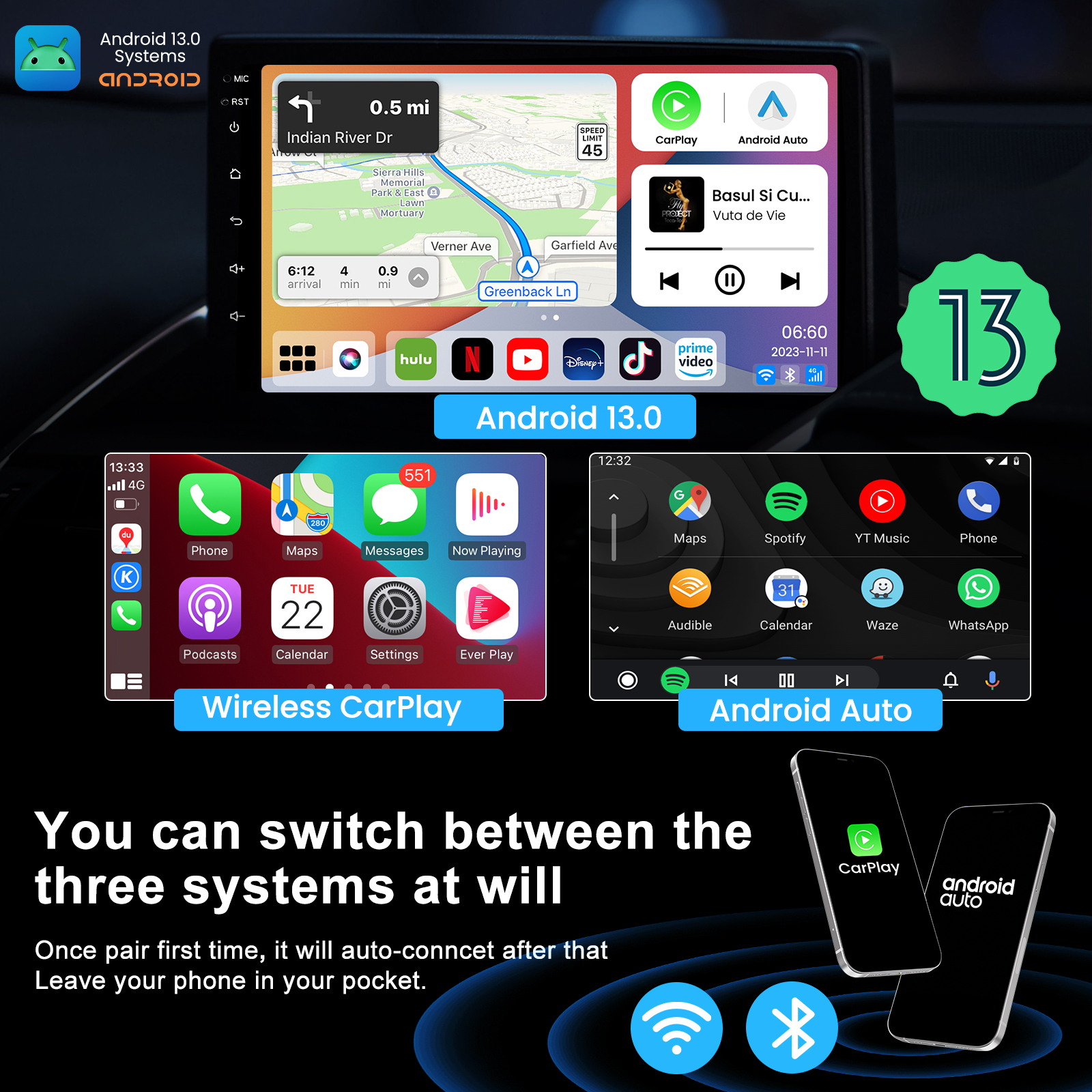
Prova la comodità di Android Auto wireless: goditi una connessione wireless, libera dall'ingombro dei cavi. Basta collegarlo e si connette automaticamente per un funzionamento senza interruzioni.
Perché scegliere questo adattatore USB?
- Mini dongle USB AA: semplifica la tua esperienza in auto rendendo la guida più sicura e comoda.
- Funziona con Android Auto: supporta la connettività Bluetooth e Wi-Fi.
- Plug and Play: basta collegarlo alla porta USB della tua auto.
- Compatibile con Google Assistant: accedi facilmente all'assistenza a mani libere.
Integrazione perfetta con la tua auto. Mantieni tutte le funzioni originali dell'auto senza alterare le tue abitudini di guida.
Compatibile con i comandi originali dell'auto : funziona con il touchscreen, le manopole e i comandi al volante della tua auto per un'esperienza familiare.
Android Auto : vivi un'esperienza di viaggio personalizzata scaricando le tue app preferite dal Google Play Store.
Specifiche :
- Modello: WJAA_MINI
- Dimensioni del prodotto: 1" x 0,9"
- Compatibilità: per auto con Android Auto cablato
- Requisiti del telefono cellulare: Android 11 o versioni successive
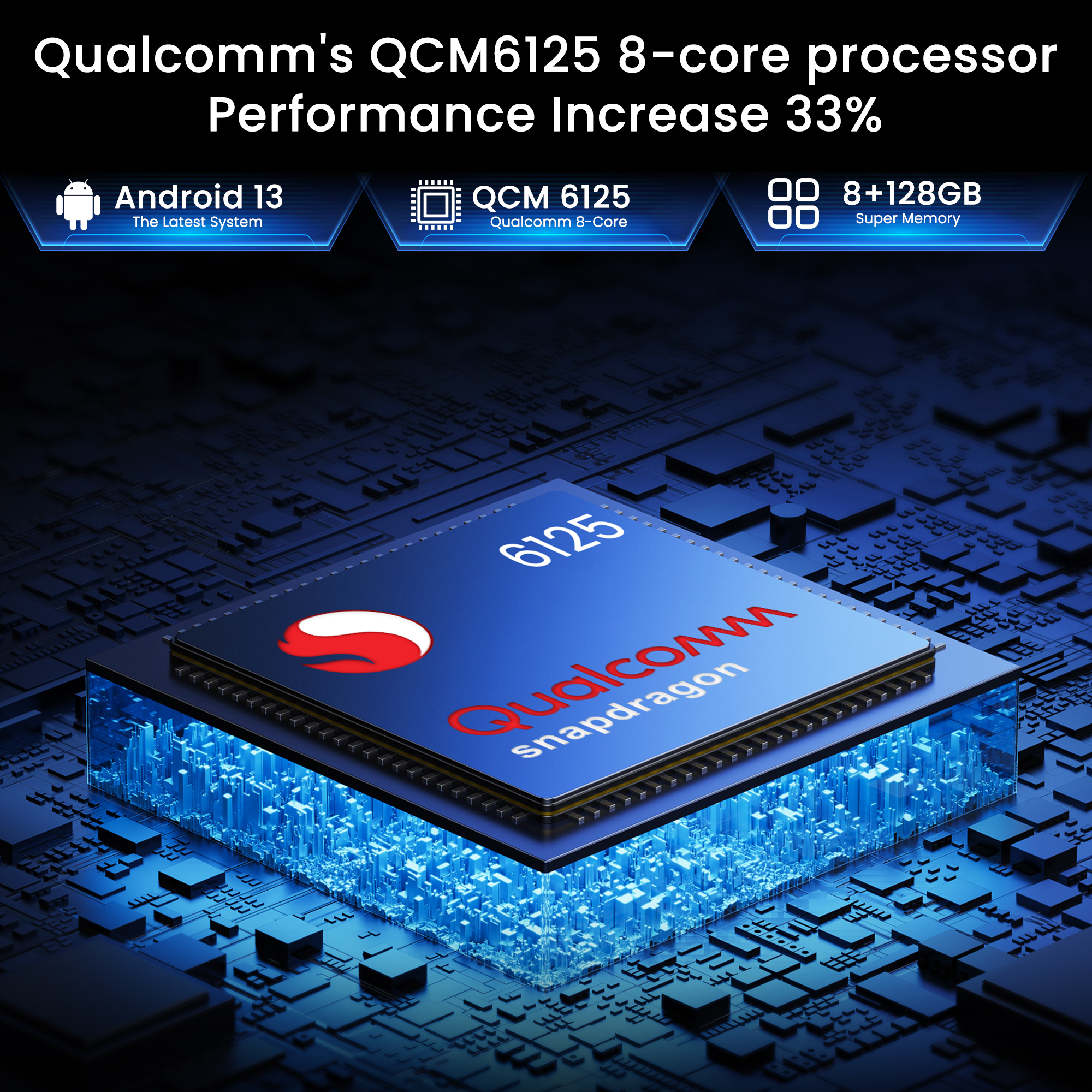
- Wi-Fi/Bluetooth: Wi-Fi 2.4G/5.8G, BT5.2
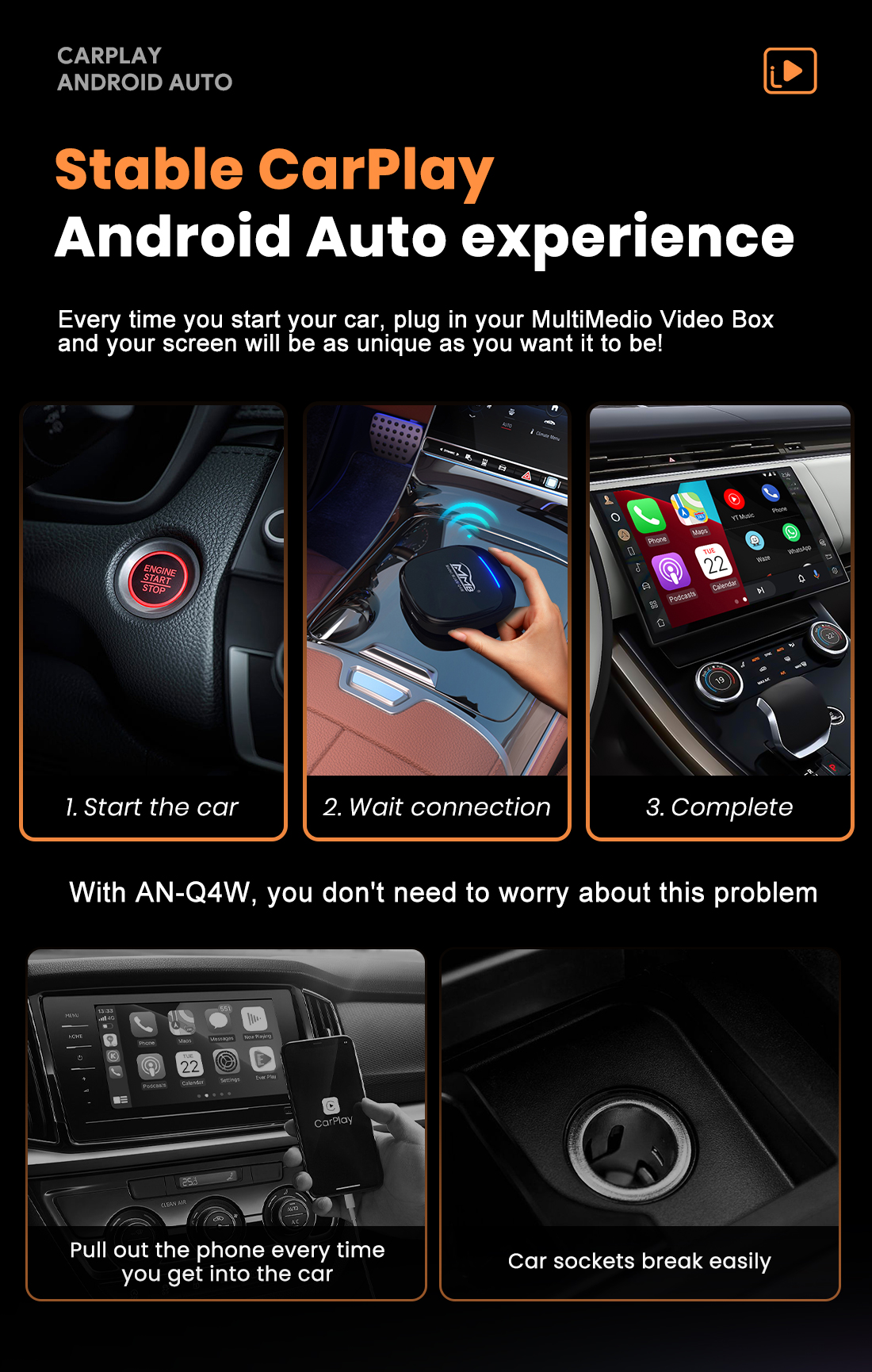
- Porsche Boxster 718 2.0L Manual (300 Bhp)
- Porsche Boxster 718 2.0L PDK (300 Bhp)
- Porsche Boxster S 718 2.5L Manual (350 Bhp)
- Porsche Boxster S 718 2.5L PDK (350 Bhp)
- Porsche Boxster T 718 2.0L Manual (300 Bhp)
- Porsche Boxster T 718 2.0L PDK (300 Bhp)
- Porsche Boxster GTS 718 2.5L Manual (365 Bhp)
- Porsche Boxster GTS 718 2.5L PDK (365 Bhp)
- Porsche Boxster GTS 718 4.0L Manual (400 Bhp)
- Porsche Boxster GTS 718 4.0L PDK (400 Bhp)
- Porsche Boxster Spyder 718 4.0L (420 Bhp)
- Porsche Boxster 25 Years 718 4.0L Manual (400 Bhp)
- Porsche Boxster 25 Years 718 4.0L PDK (400 Bhp)
- Porsche Cayman 718 2.0L Manual (300Bhp)
- Porsche Cayman 718 2.0L PDK (300Bhp)
- Porsche Cayman S 718 2.5L Manual (350Bhp)
- Porsche Cayman S 718 2.5L PDK (350Bhp)
- Porsche Cayman T 718 2.0L Manual (300Bhp)
- Porsche Cayman T 718 2.0L PDK (300 Bhp)
- Porsche Cayman GTS 718 2.5L Manual (365 Bhp)
- Porsche Cayman GTS 718 2.5L PDK (365 Bhp)
- Porsche Cayman GTS 718 4.0L Manual (400 Bhp)
- Porsche Cayman GTS 718 4.0L PDK (400 Bhp)
- Porsche Cayman GT4 718 4.0L / GT4 RS 718 4.0L
- Porsche 95B.1 Macan Petrol 2.0L 237Bhp 2014-18
- Porsche 95B.1 Macan S Petrol 3.0L V6 340Bhp 2014-18
- Porsche 95B.1 Macan S Diesel 3.0L V6 258Bhp 2014-18
- Porsche 95B.1 Macan GTS Petrol 3.0L V6 360Bhp 2014-18
- Porsche 95B.1 Macan Turbo 3.6L V6 400Bhp 2014-18
- Porsche 95B.2 Macan Petrol 2.0L 245Bhp 2019-21
- Porsche 95B.2 Macan S Petrol 3.0L V6 354Bhp 2019-21
- Porsche 95B.2 Macan GTS Petrol 2.9L V6 380Bhp 2019-21
- Porsche 95B.2 Macan Turbo 2.9L V6 440Bhp 2019-21
- Porsche 95B.3 Macan Petrol 2.0L 265Bhp 2022>>
- Porsche 95B.3 Macan T Petrol 2.0L 265Bhp 2022>>
- Porsche 95B.3 Macan S Petrol 2.9L V6 380Bhp 2022>>
- Porsche 95B.3 Macan GTS Petrol 2.9L V6 440Bhp 2022>>


- Porsche Boxster 987 MKII 2.9L 2009-2012
- Porsche Boxster S 987 MKII 3.4L 2009-2012
- Porsche 997 MKII Carrera C2 3.6L 2009-12
- Porsche 997 MKII Carrera C4 3.6L 2009-12
- Porsche 997 MKII Carrera C2S 3.8L 2009-12
- Porsche 997 MKII Carrera C4S 3.8L 2009-12
- Porsche 997 MKII GT3 2010-11
- Porsche 997 MKII Turbo 2010-13
- Porsche 997 MKII GT2 RS 2011-13
- Porsche Cayman 2.9L 987C MKII 2009-12
- Porsche Cayman S / R 3.4L 987C MKII 2009-12
Questo deve essere montato da un elettricista esperto. Questo non è un articolo fai-da-te.
1. Integrazione OEM, funziona con il display e i supporti originali,
2. Funziona con Apple CarPlay wireless, associazione tramite Bluetooth, trasferimento tramite WIFI
3. Lavora con Wired CarPlay, spegni prima il Wi-Fi, connettiti tramite cavo di illuminazione (cablato mantieni il telefono carico allo stesso tempo)
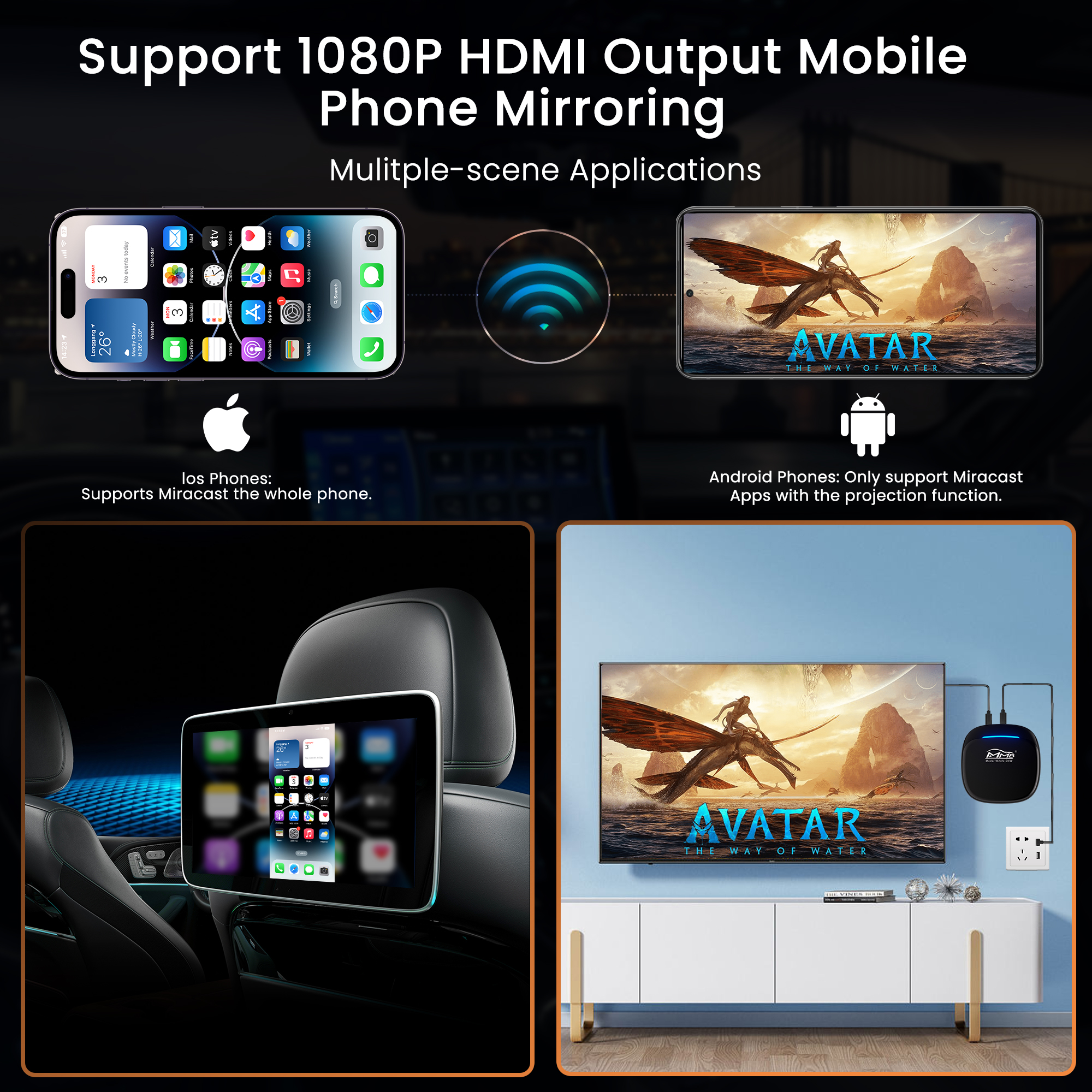
4. Collegamento mirroring Android per telefoni Android
5. Sono disponibili app di navigazione GPS, Google Maps, Waze e Apple Maps, informazioni sul traffico in tempo reale
6. Musica Mele Spotify, Apple Music, Amazon ecc. Audio tramite supporti PCM4 di fabbrica, i testi vengono visualizzati sul display per alcune app
7. Controllo vocale dicendo "Hey Siri..."
8. Ingresso telecamera anteriore/posteriore/360 aftermarket (sono supportate le linee guida dinamiche)
9. Unità flash USB per riprodurre musica e video collegando la porta USB dal kit CarPlay
10. EQ regolabile. migliore qualità audio. scegli liberamente il tuo stile preferito (Pop, Rock, Soft, Standard...)
11. Controllo completo dei pulsanti OEM.
Peso: 1,5 kg
Dimensioni: 16,5 x 9,0 x 2,0 cm
Supporto:
Porsche Boxster / Cayman / 911 2008-2012 ac
Porsche Cayenne 2010-2017 ac
Porsche Macan 2014-2016 ac
Porsche Panamera 2010-2016 ac
Funzioni:
- Apple CarPlay per iPhone (wireless e cablato)
- Android funziona automaticamente con il controllo touch screen
- iOS AirPlay e Mirrorin-link per telefoni Android (cablati)
- Riproduzione flash USB
Estensione: fotocamera anteriore / retromarcia / 360
Caratteristiche: connessione wireless, plug and play, integrazione OEM


- Porsche Boxster 981 2.7L 2012-16
- Porsche Boxster 981 S / GTS 3.4L 2012-16
- Porsche Boxster 981 Spyder 3.8L 2016
- Porsche 991.1 Carrera C2 3.4L (350Bhp) 2012-16
- Porsche 991.1 Carrera C2S / GTS 3.8L (400/430 Bhp) 2012-16
- Porsche 991.1 Carrera C4 3.4L (350Bhp) 2012-16
- Porsche 991.1 Carrera C4S / GTS 3.8L (400/430 Bhp) 2012-16
- Porsche 991.1 Turbo 3.8L (520bhp) 2014-16
- Porsche 991.1 Turbo S 3.8L (560Bhp) 2014-16
- Porsche 991.1 GT3 3.8L (475Bhp) 2014-16
- Porsche 991.1 GT3 RS 4.0L (500Bhp) 2015-16
- Porsche Cayman 2.7L 981 2013-16
- Porsche Cayman S / GTS 3.4L 981 2013-16
- Porsche Cayman GT4 3.8L 2015-16
- Porsche 958 Cayenne V6 3.6L Petrol 300Hp 2010-17
- Porsche 958 Cayenne V6 3.0L Diesel 245HP 2010-17
- Porsche 958 Cayenne S V6 3.0L Hybrid 380HP 2010-17
- Porsche 958 Cayenne S V8 4.8L Petrol 400HP 2010-17
- Porsche 958 Cayenne S V8 4.2L Diesel 382HP 2010-17
- Porsche 958 Cayenne GTS V8 4.8L Petrol 400HP 2010-17
- Porsche 958 Cayenne Turbo V8 4.8L Petrol 500HP 2010-17
- Porsche 958 Cayenne Turbo S V8 4.8L Petrol 550HP 2010-17
- Porsche 970.1 Panamera V6 3.6L 2WD 2009-13
- Porsche 970.1 Panamera 4 V6 3.6L 4WD 2009-13
- Porsche 970.1 Panamera S V8 4.8L 2009-13
- Porsche 970.1 Panamera 4S V8 4.8L 2009-13
- Porsche 970.1 Panamera GTS V8 4.8L 2011-13
- Porsche 970.1 Panamera Turbo V8 4.8L 2009-13
- Porsche 970.1 Panamera Turbo S V8 4.8L 2009-13
- Porsche 970.1 Panamera Diesel V6 3.0L 2011-13
- Porsche 970.1 Panamera S Hybrid V6 3.0L 2011-13
- Porsche 970.2 Panamera V6 3.6L 2WD (310Hp) 2014-16
- Porsche 970.2 Panamera 4 V6 3.6L 4WD (310Hp) 2014-16
- Porsche 970.2 Panamera S V6 Turbo 3.0L 2WD (420Hp) 2014-16
- Porsche 970.2 Panamera S V6 Turbo 3.0L 2WD Executive 2014-16
- Porsche 970.2 Panamera 4S V6 Turbo 3.0L 4WD (420Hp) 2014-16
- Porsche 970.2 Panamera 4S V6 Turbo 3.0L 4WD Executive 2014-16
- Porsche 970.2 Panamera GTS V8 4.8L 4WD (440Hp) 2014-16
- Porsche 970.2 Panamera Turbo V8 4.8L (520Hp) 2014-16
- Porsche 970.2 Panamera Turbo V8 Executive 2014-16
- Porsche 970.2 Panamera Turbo S V8 4.8L 2014-16
- Porsche 970.2 Panamera Diesel V6 3.0L (250Hp) 2014-16
- Porsche 970.2 Panamera S E-Hybrid V6 3.0L (416Hp) 2014-16
Questo deve essere montato da un elettricista esperto. Questo non è un articolo fai-da-te.
1. Integrazione OEM, funziona con il display e i supporti originali,
2. Funziona con Apple CarPlay wireless, associazione tramite Bluetooth, trasferimento tramite WIFI
3. Lavora con Wired CarPlay, spegni prima il Wi-Fi, connettiti tramite cavo di illuminazione (cablato mantieni il telefono carico allo stesso tempo)
4. Collegamento mirroring Android per telefoni Android
5. Sono disponibili app di navigazione GPS, Google Maps, Waze e Apple Maps, informazioni sul traffico in tempo reale
6. Musica Mele Spotify, Apple Music, Amazon ecc. Audio tramite supporti PCM4 di fabbrica, i testi vengono visualizzati sul display per alcune app
7. Controllo vocale dicendo "Hey Siri..."
8. Ingresso telecamera anteriore/posteriore/360 aftermarket (sono supportate le linee guida dinamiche)
9. Unità flash USB per riprodurre musica e video collegando la porta USB dal kit CarPlay
10. EQ regolabile. migliore qualità audio. scegli liberamente il tuo stile preferito (Pop, Rock, Soft, Standard...)
11. Controllo completo dei pulsanti OEM.
Peso: 1,5 kg
Dimensioni: 16,5 x 9,0 x 2,0 cm
Supporto:
Porsche Boxster / Cayman / 911 2012-2016 ac
Porsche Cayenne 2010-2017 ac
Porsche Macan 2014-2016 ac
Porsche Panamera 2010-2016 ac
Funzioni:
- Apple CarPlay per iPhone (wireless e cablato)
- Android funziona automaticamente con il controllo touch screen
- iOS AirPlay e Mirrorin-link per telefoni Android (cablati)
- Riproduzione flash USB
Estensione: fotocamera anteriore / retromarcia / 360
Caratteristiche: connessione wireless, plug and play, integrazione OEM


- Porsche Boxster 981 2.7L 2012-16
- Porsche Boxster 981 S / GTS 3.4L 2012-16
- Porsche 991.1 Carrera C2 3.4L (350Bhp) 2012-16
- Porsche 991.1 Carrera C2S / GTS 3.8L (400/430 Bhp) 2012-16
- Porsche 991.1 Carrera C4 3.4L (350Bhp) 2012-16
- Porsche 991.1 Carrera C4S / GTS 3.8L (400/430 Bhp) 2012-16
- Porsche 991.1 Turbo 3.8L (520bhp) 2014-16
- Porsche 991.1 Turbo S 3.8L (560Bhp) 2014-16
- Porsche 991.1 GT3 3.8L (475Bhp) 2014-16
- Porsche 991.1 GT3 RS 4.0L (500Bhp) 2015-16
- Porsche Cayman 2.7L 981 2013-16
- Porsche Cayman S / GTS 3.4L 981 2013-16
- Porsche Cayman GT4 3.8L 2015-16
- Porsche 958 Cayenne V6 3.6L Petrol 300Hp 2010-17
- Porsche 958 Cayenne V6 3.0L Diesel 245HP 2010-17
- Porsche 958 Cayenne S V6 3.0L Hybrid 380HP 2010-17
- Porsche 958 Cayenne S V8 4.8L Petrol 400HP 2010-17
- Porsche 958 Cayenne S V8 4.2L Diesel 382HP 2010-17
- Porsche 958 Cayenne GTS V8 4.8L Petrol 400HP 2010-17
- Porsche 958 Cayenne Turbo V8 4.8L Petrol 500HP 2010-17
- Porsche 958 Cayenne Turbo S V8 4.8L Petrol 550HP 2010-17
- Porsche 970.1 Panamera V6 3.6L 2WD 2009-13
- Porsche 970.1 Panamera 4 V6 3.6L 4WD 2009-13
- Porsche 970.1 Panamera S V8 4.8L 2009-13
- Porsche 970.1 Panamera 4S V8 4.8L 2009-13
- Porsche 970.1 Panamera GTS V8 4.8L 2011-13
- Porsche 970.1 Panamera Turbo V8 4.8L 2009-13
- Porsche 970.1 Panamera Turbo S V8 4.8L 2009-13
- Porsche 970.1 Panamera Diesel V6 3.0L 2011-13
- Porsche 970.1 Panamera S Hybrid V6 3.0L 2011-13
- Porsche 970.2 Panamera V6 3.6L 2WD (310Hp) 2014-16
- Porsche 970.2 Panamera 4 V6 3.6L 4WD (310Hp) 2014-16
- Porsche 970.2 Panamera S V6 Turbo 3.0L 2WD (420Hp) 2014-16
- Porsche 970.2 Panamera S V6 Turbo 3.0L 2WD Executive 2014-16
- Porsche 970.2 Panamera 4S V6 Turbo 3.0L 4WD (420Hp) 2014-16
- Porsche 970.2 Panamera 4S V6 Turbo 3.0L 4WD Executive 2014-16
- Porsche 970.2 Panamera GTS V8 4.8L 4WD (440Hp) 2014-16
- Porsche 970.2 Panamera Turbo V8 4.8L (520Hp) 2014-16
- Porsche 970.2 Panamera Turbo V8 Executive 2014-16
- Porsche 970.2 Panamera Turbo S V8 4.8L 2014-16
- Porsche 970.2 Panamera Diesel V6 3.0L (250Hp) 2014-16
- Porsche 970.2 Panamera S E-Hybrid V6 3.0L (416Hp) 2014-16
- Porsche 95B.1 Macan Petrol 2.0L 237Bhp 2014-18
- Porsche 95B.1 Macan S Petrol 3.0L V6 340Bhp 2014-18
- Porsche 95B.1 Macan S Diesel 3.0L V6 258Bhp 2014-18
- Porsche 95B.1 Macan GTS Petrol 3.0L V6 360Bhp 2014-18
- Porsche 95B.1 Macan Turbo 3.6L V6 400Bhp 2014-18
WIFI Wireless Apple CarPlay AirPlay AirPlay Soluzione Android Auto per Porsche PCM3.1 Cayenne / Panamera / Macan / Boxster / Cayman / 911
Questo deve essere montato da un elettricista esperto. Questo non è un articolo fai-da-te.
1. Integrazione OEM, funziona con il display e i supporti originali,
2. Funziona con Apple CarPlay wireless, associazione tramite Bluetooth, trasferimento tramite WIFI
3. Lavora con Wired CarPlay, spegni prima il Wi-Fi, connettiti tramite cavo di illuminazione (cablato mantieni il telefono carico allo stesso tempo)
4. Collegamento mirroring Android per telefoni Android
5. Sono disponibili app di navigazione GPS, Google Maps, Waze e Apple Maps, informazioni sul traffico in tempo reale
6. Musica Mele Spotify, Apple Music, Amazon ecc. Audio tramite supporti PCM4 di fabbrica, i testi vengono visualizzati sul display per alcune app
7. Controllo vocale dicendo "Hey Siri..."
8. Ingresso telecamera anteriore/posteriore/360 aftermarket (sono supportate le linee guida dinamiche)
9. Unità flash USB per riprodurre musica e video collegando la porta USB dal kit CarPlay
10. EQ regolabile. migliore qualità audio. scegli liberamente il tuo stile preferito (Pop, Rock, Soft, Standard...)
11. Controllo completo dei pulsanti OEM.
Peso: 1,5 kg
Dimensioni: 16,5 x 9,0 x 2,0 cm
Supporto:
Porsche Boxster / Cayman / 911 2012-2016 ac
Porsche Cayenne 2010-2017 ac
Porsche Macan 2014-2016 ac
Porsche Panamera 2010-2016 ac
Funzioni:
- Apple CarPlay per iPhone (wireless e cablato)
- Android funziona automaticamente con il controllo touch screen
- iOS AirPlay e Mirrorin-link per telefoni Android (cablati)
- Riproduzione flash USB
Estensione: fotocamera anteriore / retromarcia / 360
Caratteristiche: connessione wireless, plug and play, integrazione OEM
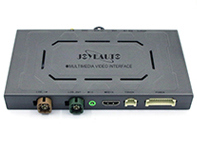


- Porsche Boxster 718 2.0L Manual (300 Bhp)
- Porsche Boxster 718 2.0L PDK (300 Bhp)
- Porsche Boxster S 718 2.5L Manual (350 Bhp)
- Porsche Boxster S 718 2.5L PDK (350 Bhp)
- Porsche Boxster T 718 2.0L Manual (300 Bhp)
- Porsche Boxster T 718 2.0L PDK (300 Bhp)
- Porsche Boxster GTS 718 2.5L Manual (365 Bhp)
- Porsche Boxster GTS 718 2.5L PDK (365 Bhp)
- Porsche Boxster Spyder 718 4.0L (420 Bhp)
- Porsche 991.1 R 4.0L (500 Bhp) 2016
- Porsche 991.2 Carrera 2 3.0L (370 Bhp) 2016-19
- Porsche 991.2 Carrera 2S / GTS 3.0L (420/450 Bhp) 2016-19
- Porsche 991.2 Carrera 4 3.0L (370 Bhp) 2016-19
- Porsche 991.2 Carrera 4S / GTS 3.0L (420/450 Bhp) 2016-19
- Porsche 991.2 Cabriolet 2 3.0L (370 Bhp) 2016-19
- Porsche 991.2 Cabriolet 2S / GTS 3.0L (420/450 Bhp) 2016-19
- Porsche 991.2 Cabriolet 4 3.0L (370 Bhp) 2016-19
- Porsche 991.2 Cabriolet 4S / GTS 3.0L (420/450 Bhp) 2016-19
- Porsche 991.2 Targa 4 3.0L (370 Bhp) 2016-19
- Porsche 991.2 Targa 4S / GTS 3.0L (420/450 Bhp) 2016-19
- Porsche 991.2 Turbo Coupe 3.8L (540 Bhp) 2016-19
- Porsche 991.2 Turbo S Coupe 3.8L (580 Bhp) 2016-19
- Porsche 991.2 Turbo Cabriolet 3.8L (540 Bhp) 2016-19
- Porsche 991.2 Turbo S Cabriolet 3.8L (580 Bhp) 2016-19
- Porsche 991.2 Speedster 4.0L (510Bhp) 2019
- Porsche 991.2 GT3 4.0L (500 Bhp) / GT3 RS 4.0L (520 Bhp) 2017-19
- Porsche 991.2 GT2 RS 3.8L PDK (700 bhp) 2018-19
- Porsche Cayman 718 2.0L Manual (300Bhp)
- Porsche Cayman 718 2.0L PDK (300Bhp)
- Porsche Cayman S 718 2.5L Manual (350Bhp)
- Porsche Cayman S 718 2.5L PDK (350Bhp)
- Porsche Cayman T 718 2.0L Manual (300Bhp)
- Porsche Cayman T 718 2.0L PDK (300 Bhp)
- Porsche Cayman GTS 718 2.5L Manual (365 Bhp)
- Porsche Cayman GTS 718 2.5L PDK (365 Bhp)
- Porsche Cayman GTS 718 4.0L Manual (400 Bhp)
- Porsche Cayman GT4 718 4.0L / GT4 RS 718 4.0L
- Porsche 95B.1 Macan Petrol 2.0L 237Bhp 2014-18
- Porsche 95B.1 Macan S Petrol 3.0L V6 340Bhp 2014-18
- Porsche 95B.1 Macan S Diesel 3.0L V6 258Bhp 2014-18
- Porsche 95B.1 Macan GTS Petrol 3.0L V6 360Bhp 2014-18
- Porsche 95B.1 Macan Turbo 3.6L V6 400Bhp 2014-18
Questo deve essere montato da un elettricista esperto. Questo non è un articolo fai da te.
1. Integrazione OEM, funziona con display e supporti originali,
2. Funziona con Apple CarPlay wireless, accoppiamento tramite Bluetooth, trasferimento tramite WIFI
3. Lavora con Wired CarPlay, disattiva prima il Wi-Fi, connettiti tramite cavo di illuminazione (wired mantieni il telefono carico allo stesso tempo)
4. Collegamento Mirroring Android per telefoni Android
5. Sono tutte disponibili app di navigazione GPS, Google Maps, Waze e Apple Maps, informazioni sul traffico in tempo reale
6. Audio di Apple Spotify, Apple Music, Amazon ecc. tramite il supporto PCM4 di fabbrica, i testi vengono visualizzati sul display per alcune app
7. Controllo vocale dicendo "Ehi Siri..."
8. Ingresso telecamera anteriore/posteriore/360 aftermarket (sono supportate le linee guida dinamiche)
9. Unità flash USB per riprodurre musica e video collegando la porta USB del kit CarPlay
10. EQ regolabile. migliore qualità audio. scegli liberamente il tuo stile preferito (Pop, Rock, Soft, Standard...)
11. Controllo completo dei pulsanti OEM.
Peso: 1,5kg
Dimensioni: 16,5 x 9,0 x 2,0 cm
Supporto:
Porsche Boxster/Cayman/911 2016 >>
Porsche Cayenne 2010-2017 MY
Porsche Macan 2014-2016 MY
Porsche Panamera 2010-2016 MY
Funzioni:
- Apple CarPlay per iPhone (wireless e cablato)
- Android Auto funziona con controllo touch screen
- iOS AirPlay e Mirrorin-link per telefoni Android (cablati)
- Riproduzione flash USB
Estensione: fotocamera anteriore/retromarcia/360
Caratteristiche: connessione wireless, Plug and Play, integrazione OEM